Monthly Coaching Plans - How to sign up
Monthly coaching plans provide a certain number of sessions for you to schedule and use each month. Fees for the month are charged automatically on the same day each month, until the plan is cancelled.
For clients who are committed to the coaching process, monthly plans are great way to support consistency and help reduce the mental load of scheduling and payment logistics.
Use the link provided in the “Getting Started with Coaching” email to begin the sign up process:
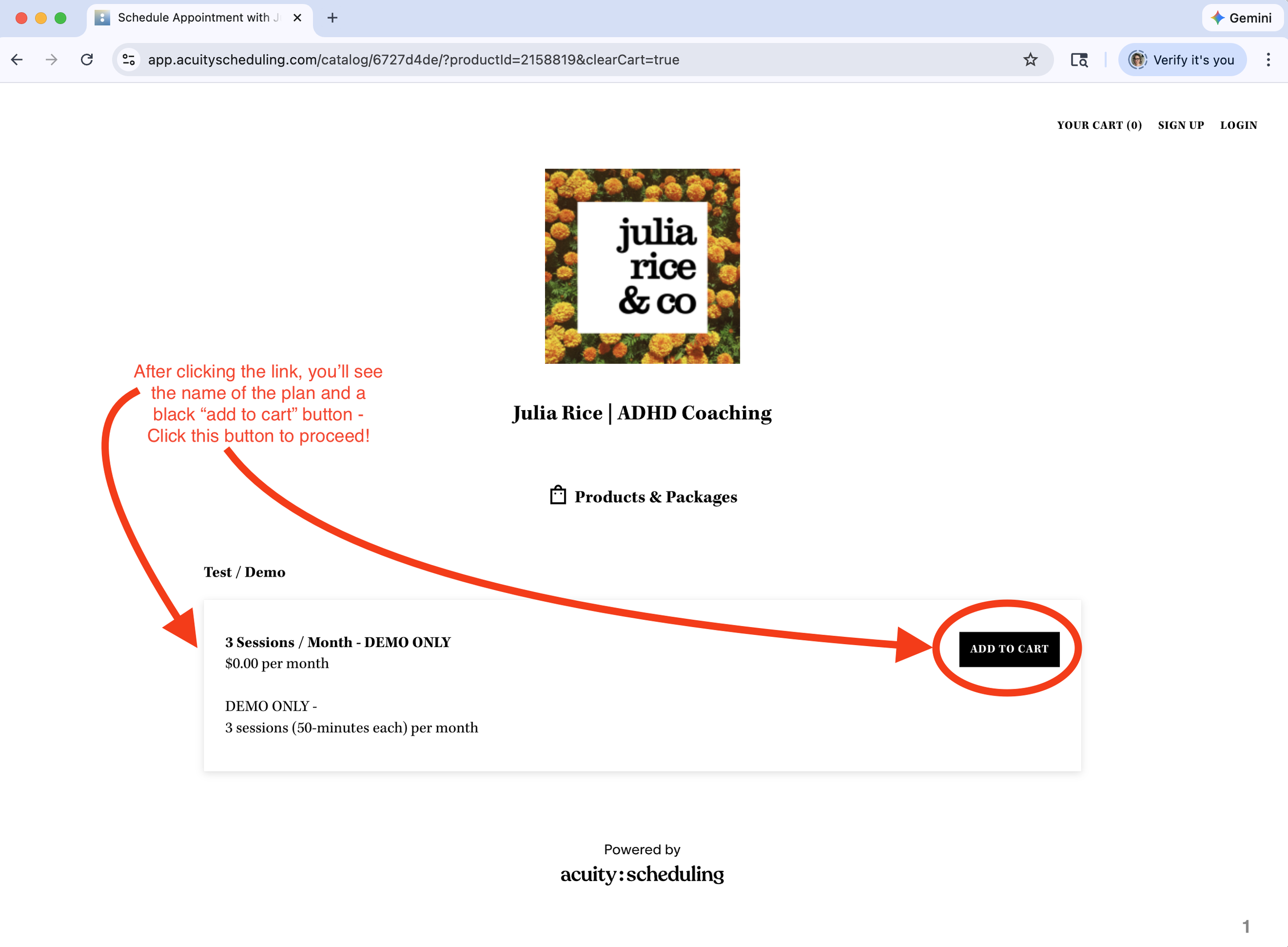
Verify this is the plan you want to sign up for and click the “ADD TO CART” button.
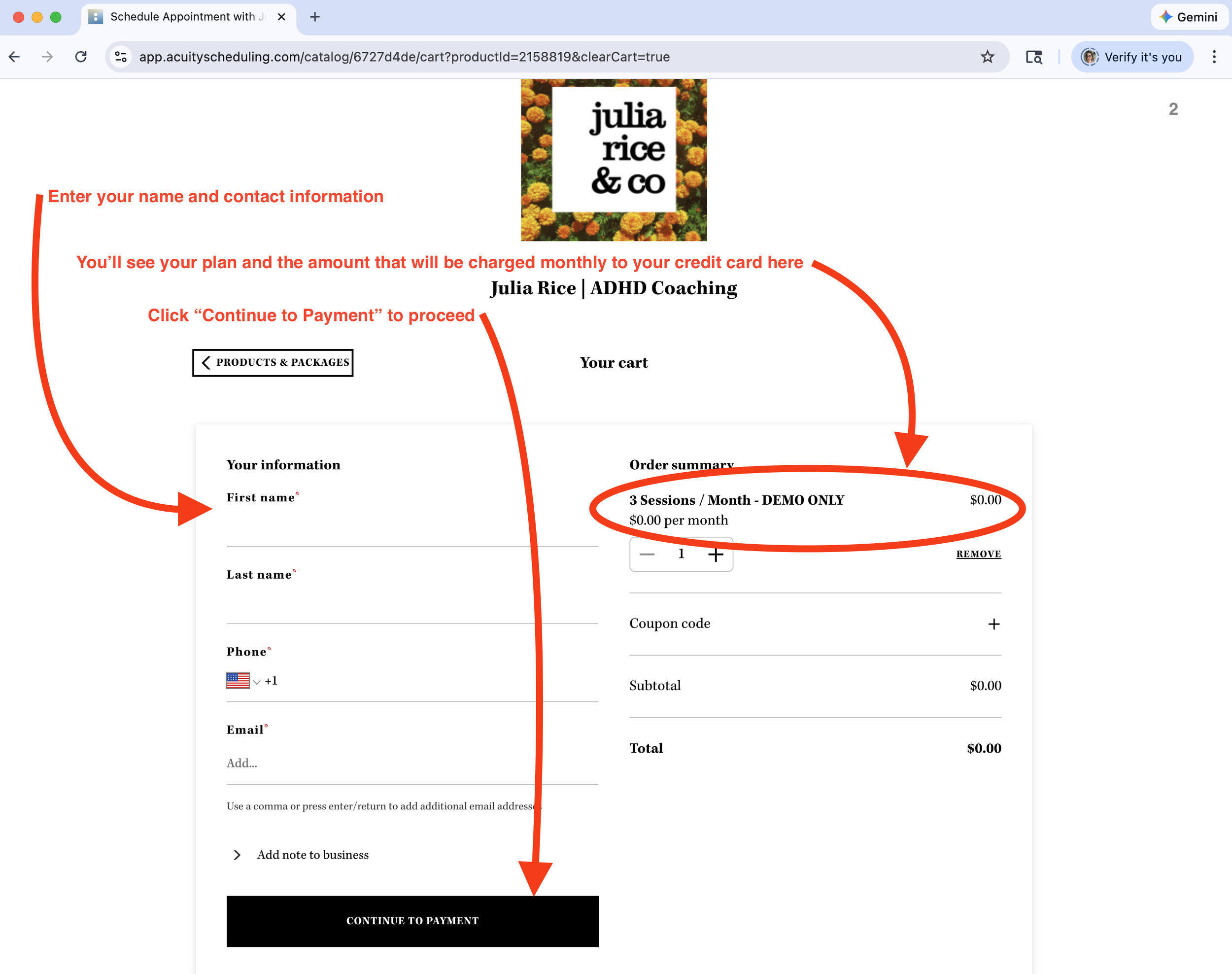
2. Enter your contact information, note the monthly charge, and click “CONTINUE TO PAYMENT”
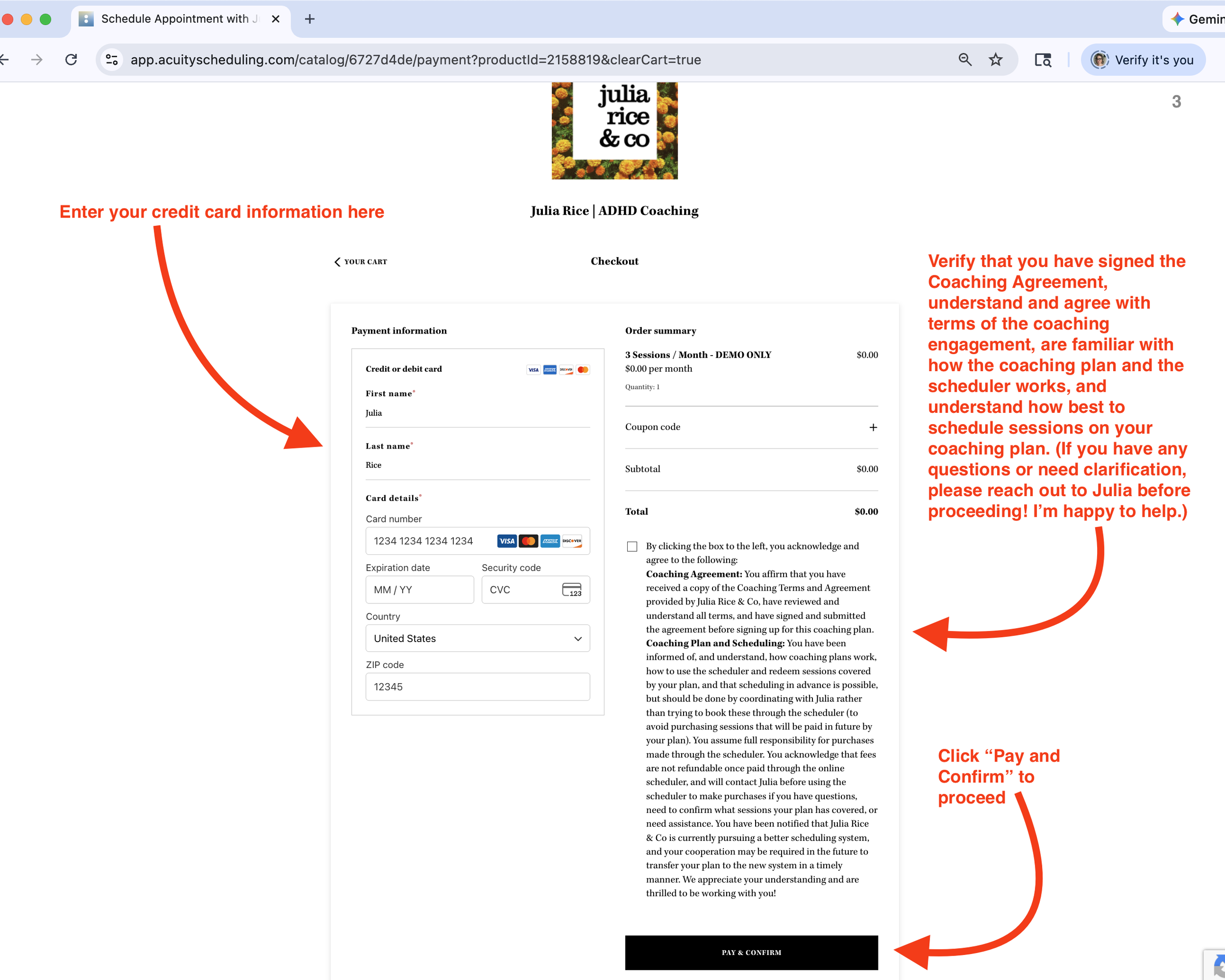
3. Enter your credit card information, click the box to confirm you’ve signed your Coaching Agreement and are familiar with the scheduling process, and press “PAY AND CONFIRM”.
4. You’ve now signed up for your plan! But there are a few more things to do while you’re here…
Check your email to make sure you received the confirmation email for your plan. It has VERY IMPORTANT details about your plan that you will want to hang on to!
Then, click SIGN UP" in the top right corner to sign up for an account on the scheduler — this will be so helpful in the future!
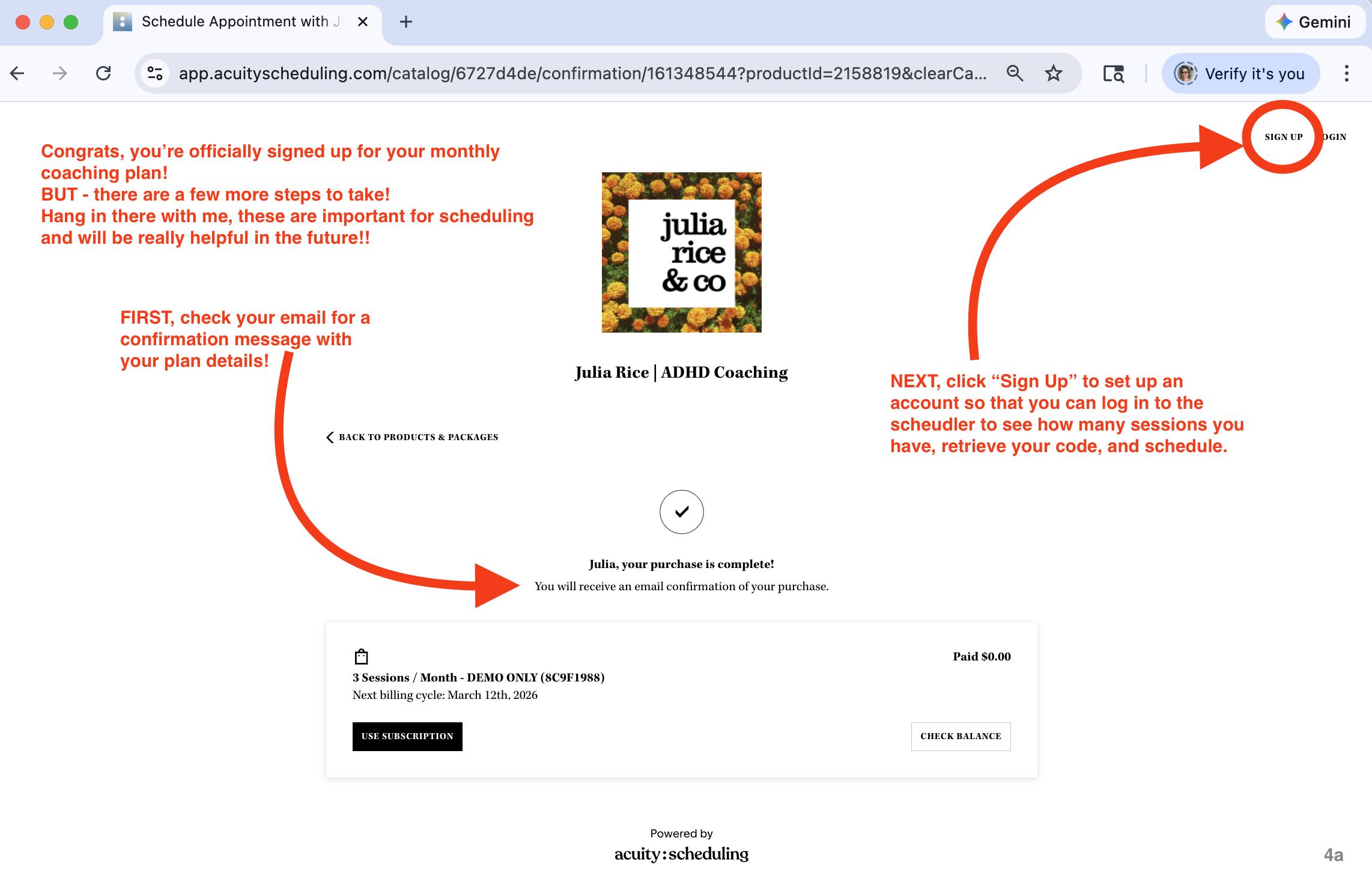
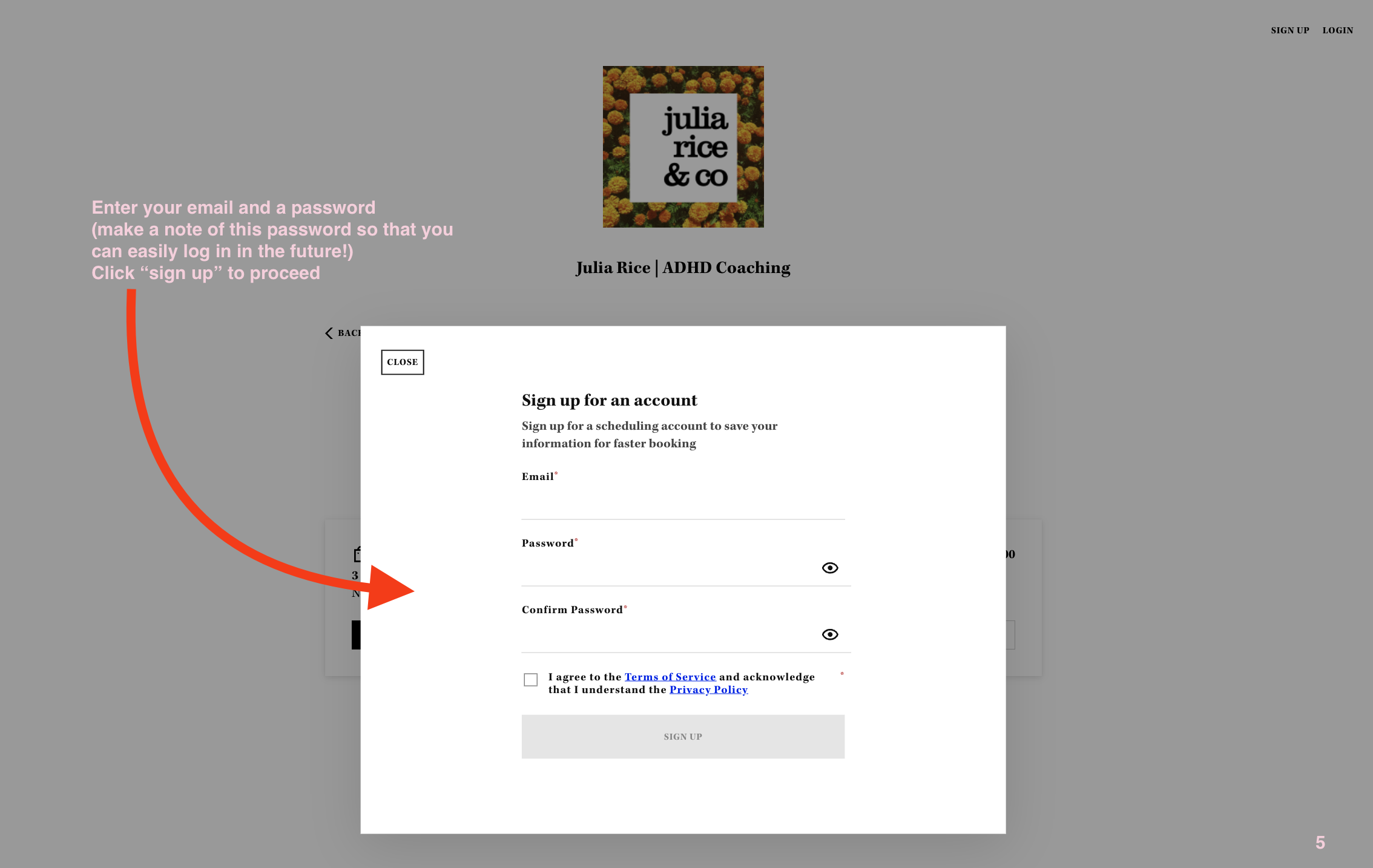
5. Signing up for an account is easy! Make sure to use the same email address that you used to sign up for your plan, and choose a password that you can remember.
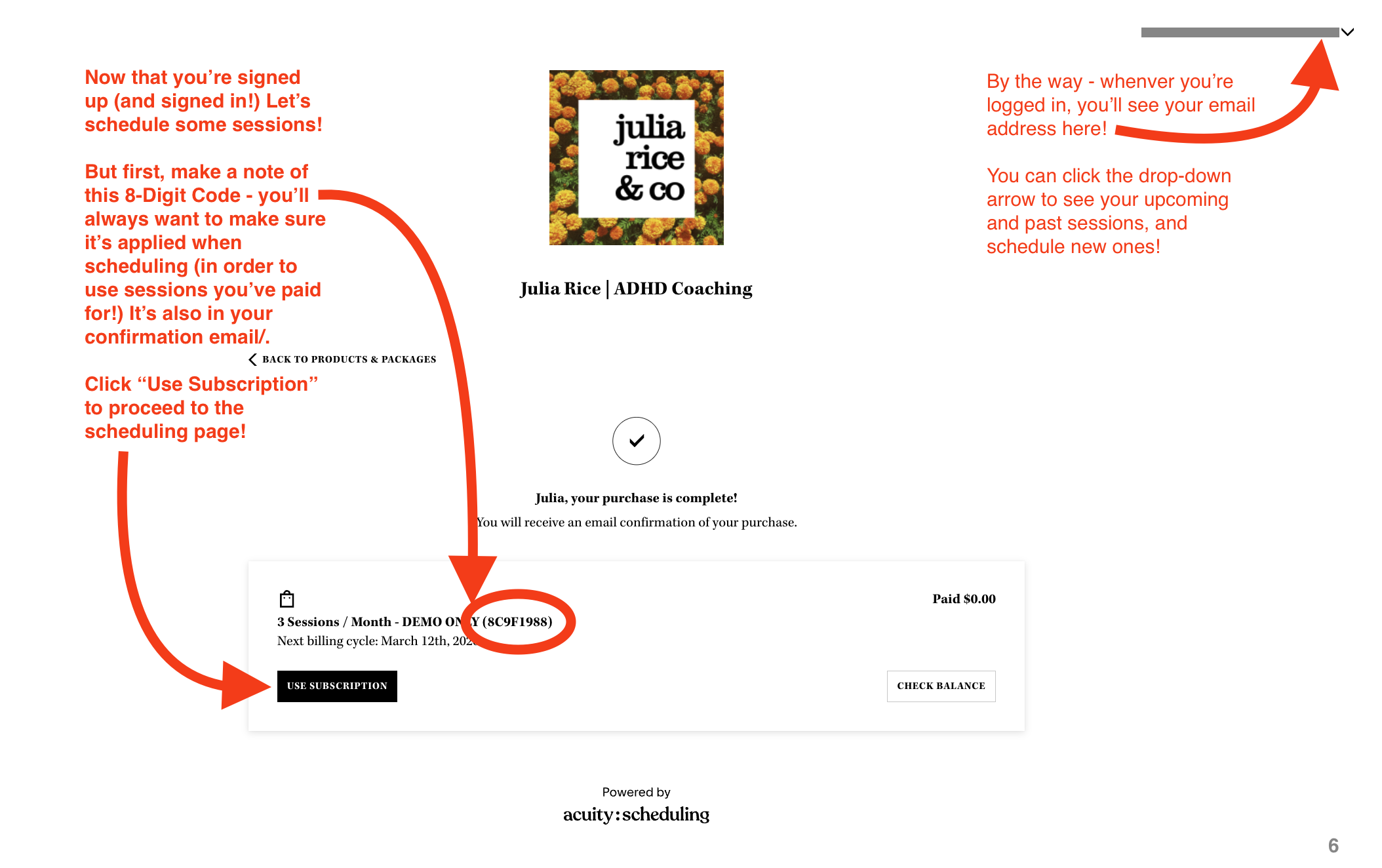
6. Once you’ve signed up for an account and signed in, you’ll see your email address and a little drop-down arrow in the top right corner of the page.
The drop down arrow shows options for “appointments” and “manage codes”. Keep this in mind for later! This is how you use your account to see your upcoming and past sessions, schedule new ones, reschedule if need be, and add sessions to your calendar! All of this will be very helpful so keep track of that login!
(While you’re here… Make a note of the 8-digit code on this page. You’ll use this to redeem the sessions paid for through your Monthly Coaching Plan. Your code is also in the confirmation email and accessible in your account under “Manage Codes”). It’s important to make sure this code is applied when scheduling so you’re not charged again!
Once you’ve made a note of these features, click “USE SUBSCRIPTION” to schedule your first sessions!
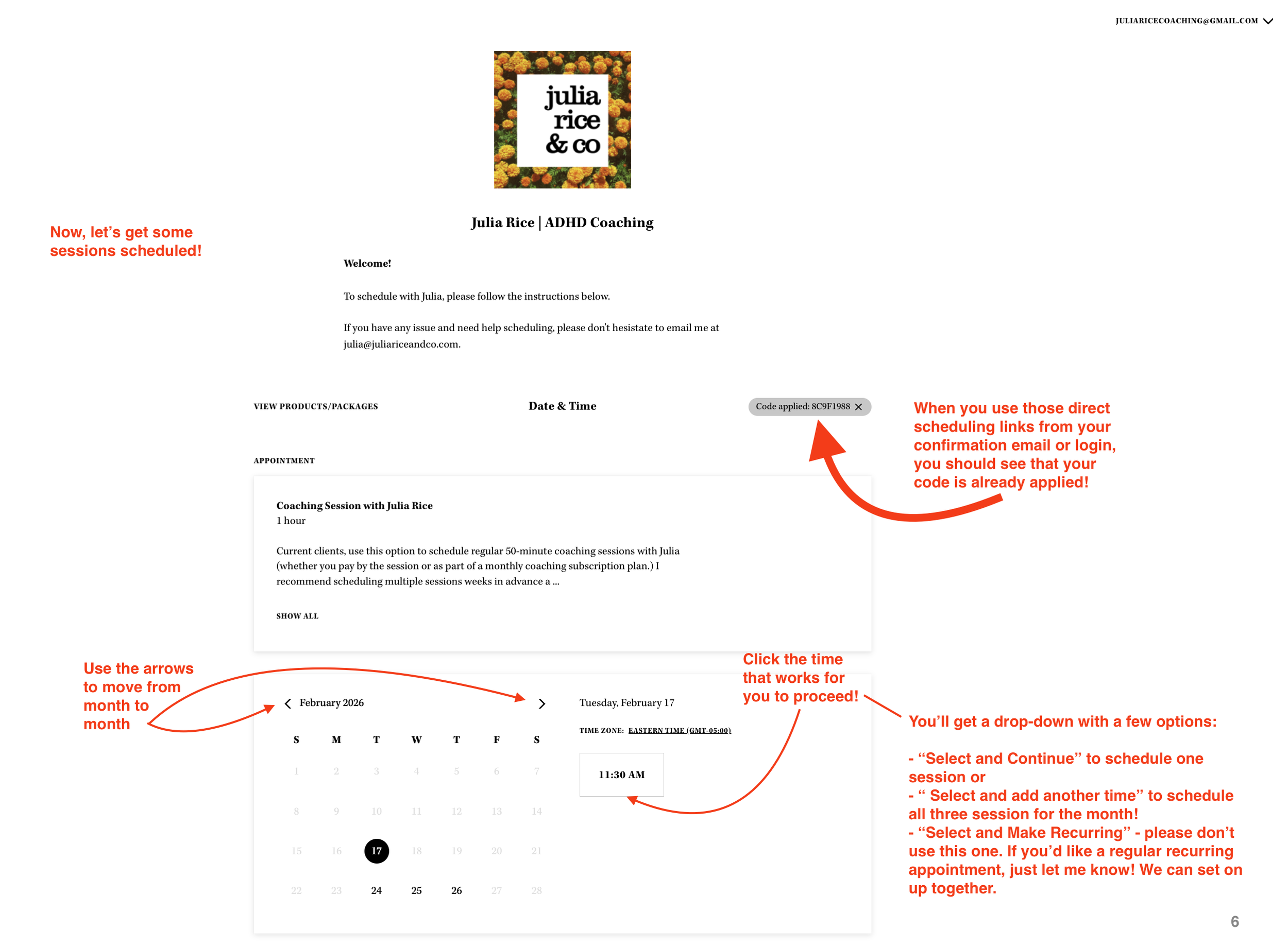
7. This is what the scheduler looks like. You’ll notice when you use the direct links from your confirmation page (and confirmation email!), your code is already applied!